Video Tutorial is available here:
This service is designed for creating and managing questionnaires and surveys within the system.
Creating a New Questionnaire
-
Managing questionnaire visibility
-
Editing questionnaire content
-
Saving and publishing the questionnaire
-
Additional recommendations
General Overview
Upon entering the section:
-
The left side displays a list of existing questionnaires
-
The right side shows the working area and filters
Creating a Questionnaire
To create a new questionnaire, click the “+” button.
A new window will appear here you can:
-
Enter the questionnaire title (required field)
-
Specify the survey period (required field)
-
Select the activity type where the questionnaire will be available (required field)
-
Specify the purpose of the questionnaire
-
Enable the “one-time only” toggle — in this case, the questionnaire will not reappear for the same respondent
-
Enable the “show previous answers” toggle — useful for recurring surveys
-
Enable the “mandatory questions” toggle — respondents will not be able to skip questions
-
Enable the “collapse questions by default” toggle — questions will have to be expanded manually
Editing a Questionnaire
After creation, the questionnaire will appear on the left side of the interface. In the working area, you’ll see:
-
A button to add and edit blocks
-
A button to configure display filters
You can add questions or sub-blocks to a created block.
Filters
Filters allow you to personalize the questionnaire for different user categories or specific situations.
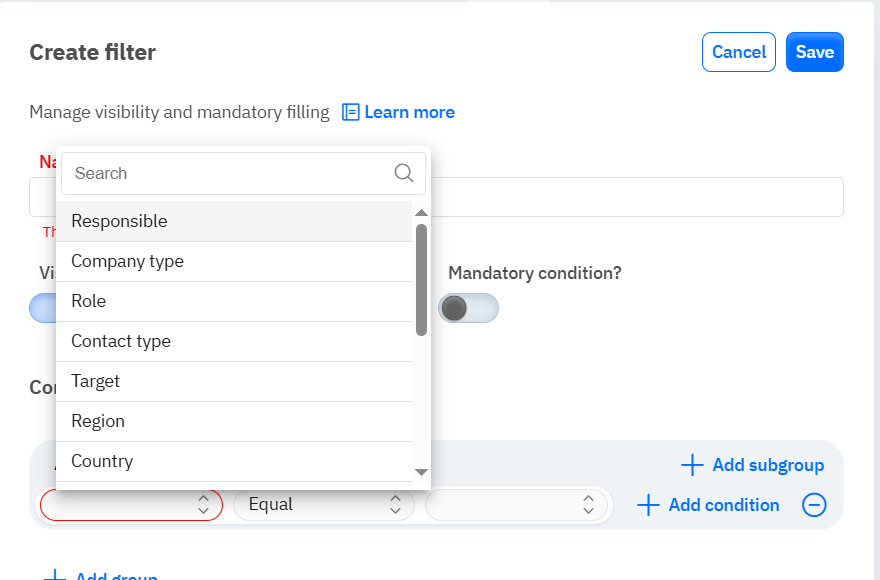
Adding Questions and Answers
Each question can have answers depending on its type.
For each answer (if it’s not numeric), you can assign a weight/score.
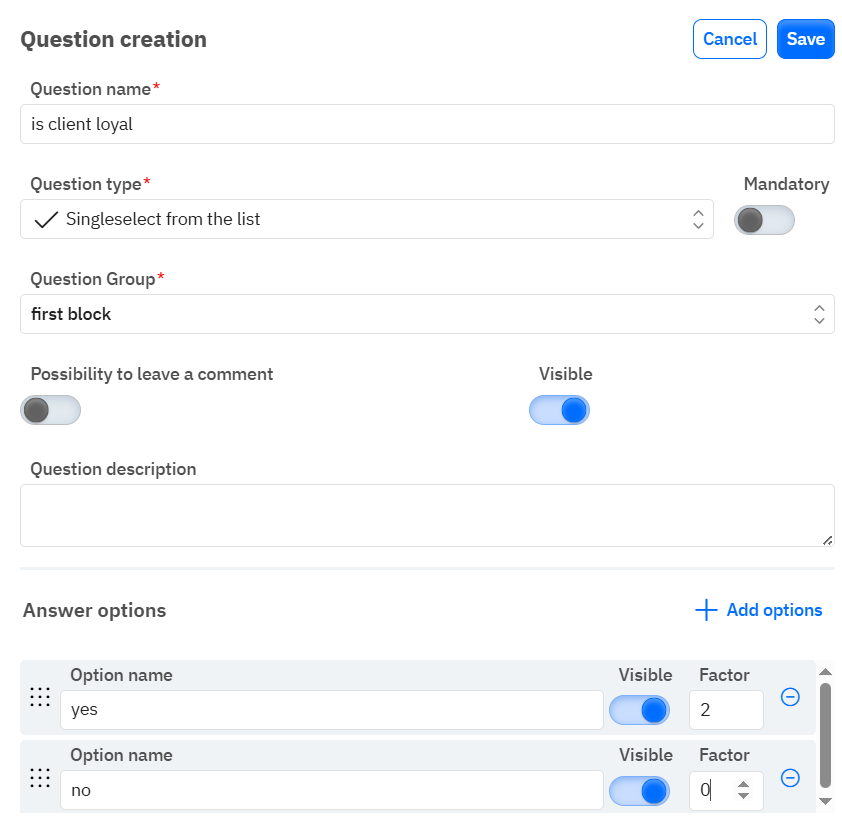 Editing Questionnaires
Each questionnaire can be modified by clicking the three dots next to its name.
The editing panel is identical to the creation panel.
Archiving a Questionnaire
A questionnaire can be archived in two ways:
-
Click the three dots → select “Archive”
-
The questionnaire will be automatically archived if the specified survey dates have passed
Once archived, the questionnaire becomes unavailable during visits.