Forgot your password? Go to Proxima Cloud CRM password reset. This page is for the first login, when you haven't set a password yet.
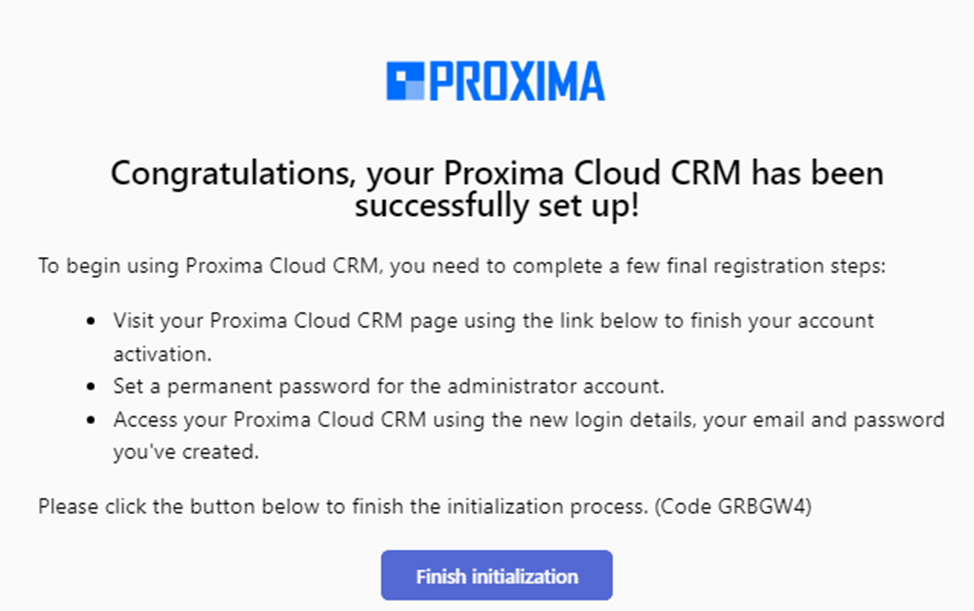
Once an account is created for you in Proxima CRM, you receive an invitation email. To log in for the first time, complete the registration and set your password using the link in this email. The link is valid for about two days.
Completing the registration
- Open the email from id.admin@robots.proximaresearch.com.
-
Click Finish initialization.
-
In the dialog that opens, create your personal password and enter it again in the Confirm Password field.
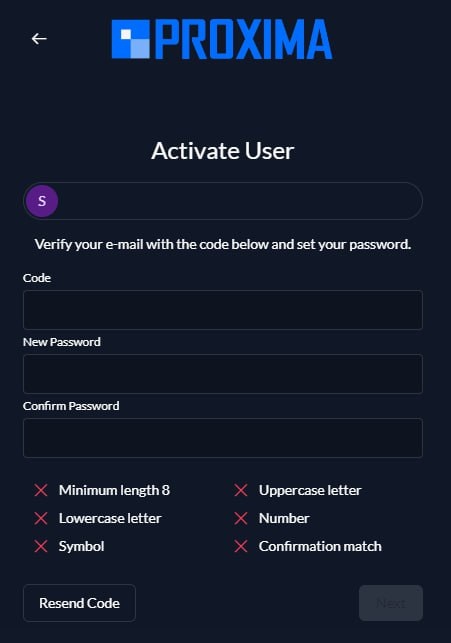
- Click Continue.
Password requirements
Your password must:
- contain at least 8 characters;
- contain at least one uppercase letter;
- contain at least one lowercase letter;
- contain at least one number;
- contain at least one symbol.
The Password and Confirm Password fields must match.
Each requirement that isn't met is marked with a cross.
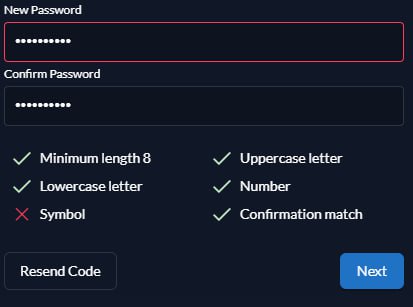
Important: The Continue button becomes active only when the password meets all the requirements. An invalid password isn't saved, and an error message appears.
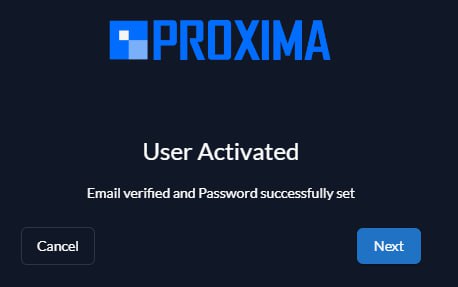
When the password is accepted, a confirmation message appears, and you can log in to Proxima CRM with your email and the new password.
Frequently asked questions
Where does the registration link come?
The registration link comes only by email, from id.admin@robots.proximaresearch.com. SMS is not used for registration.
Do I need to enter a code from an SMS?
No. No code is sent by SMS. To complete the registration, click Finish initialization in the email and create your password.
How long is the registration link valid?
The link in the invitation email is valid for about two days. If you received the email more than two days ago, the link may no longer work.
The registration link has expired. What should I do?
Contact technical support or your company's CRM administrator and ask them to send a new invitation email. Then complete the registration using the new link.
I didn't get the invitation email. What should I do?
Check your Spam or Junk folder and search for an email from id.admin@robots.proximaresearch.com. If there is no email, contact your company's CRM administrator.
I have already registered, but I forgot my password.
This is not registration but a password reset. See Proxima Cloud CRM password reset.