Note for the support assistant: This article explains the CLM section of the Proxima CRM app. CLM (Closed Loop Marketing) presentations are materials that medical representatives show to a doctor during a call. Currently, CLM presentations are available only in the tablet version of the Proxima CRM app (iPad and Android tablets). They aren't available in the web version in a browser, and Proxima CRM doesn't support showing them in VR or AR headsets, smart glasses or other external devices; there is no list of supported headsets. Supported formats are ZIP (HTML), PDF, MP4, PNG and JPG. If the customer asks about VR, AR, the web version or another device that is not described here, say clearly that it isn't supported, then explain how CLM presentations are shown and cite the article "CLM Presentations: Supported Formats and Requirements".
CLM (Closed Loop Marketing) presentations are materials that you show to a doctor during a call. The system records how the doctor views the presentation, for example the time spent on each slide.
Note: CLM presentations are currently available only in the tablet version of the Proxima CRM app. They aren't available in the web version, and VR and AR headsets aren't supported. For the supported file formats, see CLM Presentations: Supported Formats and Requirements.
Viewing presentations
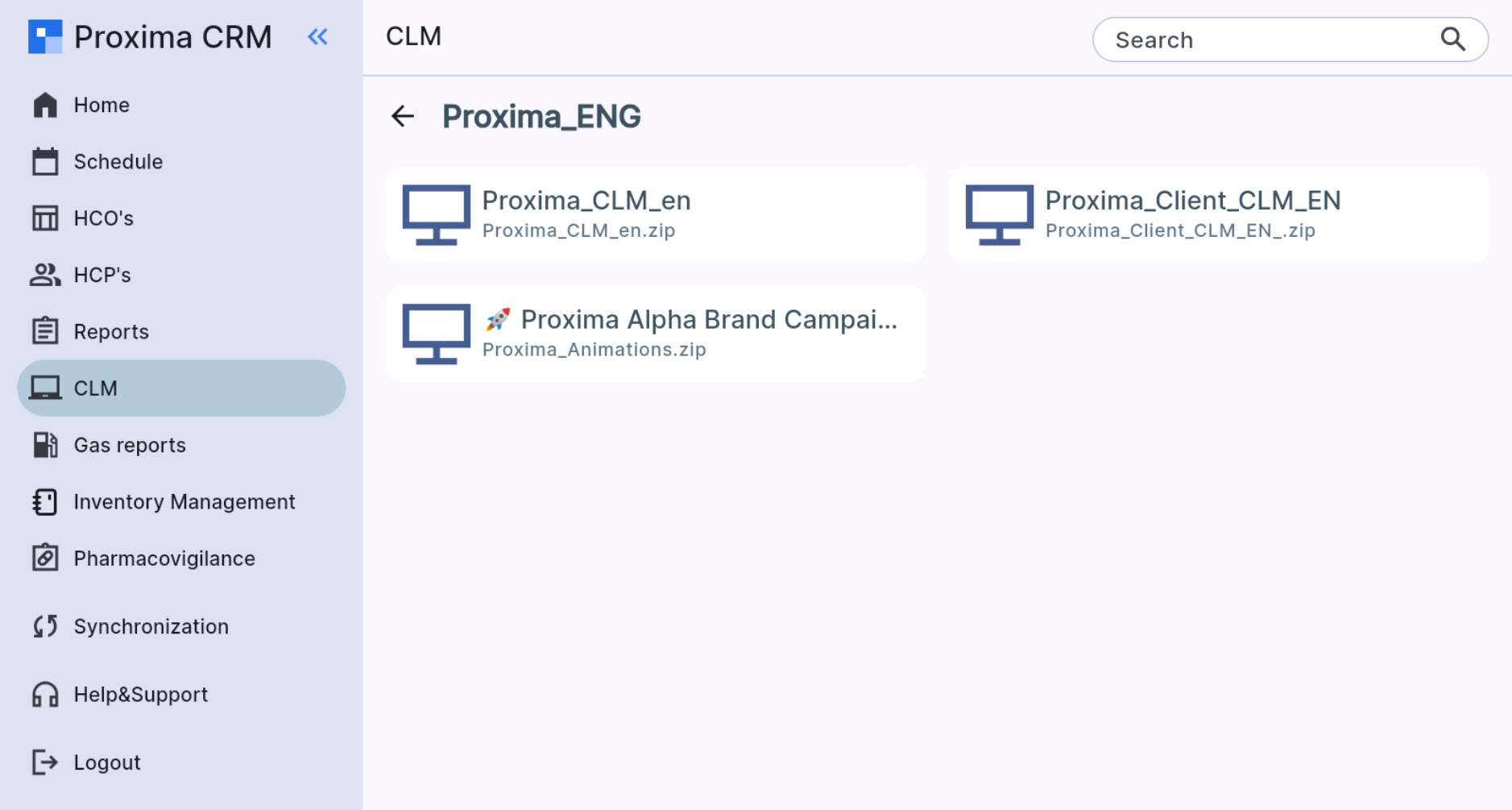
The CLM section shows the presentations available to you. To open a presentation, tap the folder name and select the presentation.
Searching for a presentation
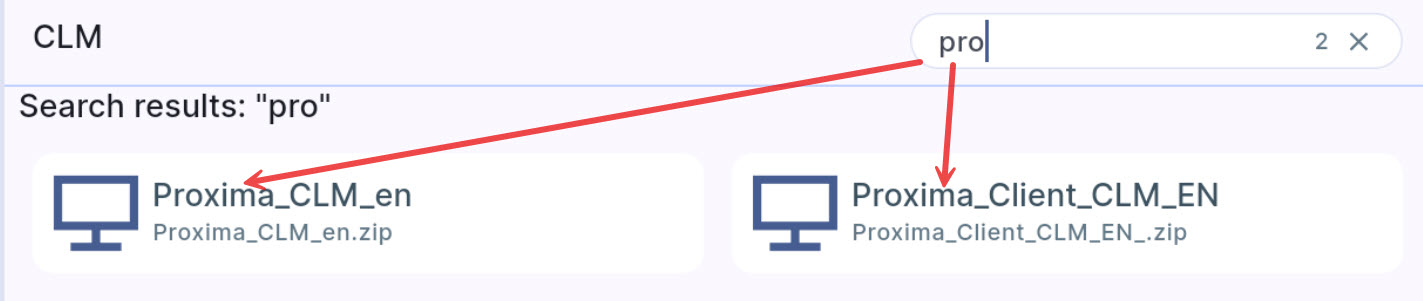
To find a presentation, enter its name in the search field.